
AI prompts decide how good your answers are. The same chatbot can give you a vague paragraph or a sharp, useful plan, and the only difference is what you typed. The good news is that writing better prompts is not a secret skill. OpenAI, Google, Anthropic and Microsoft all publish prompting guides, and they agree on a short list of habits.
In this guide, we turn those official tips into one simple formula. Then we share 12 AI prompts you can copy for work, study and daily life, plus the mistakes that waste the most time.
What makes AI prompts work
A prompt is simply the message you give an AI chatbot. In contrast, a weak prompt leaves the model to guess. On the other hand, a strong prompt tells it who it should act as, what you need, why you need it and how the answer should look.
Each company frames this a little differently. For example, Google’s Workspace guide uses four parts: persona, task, context and format. Microsoft’s Copilot guide uses goal, context, source and expectations. Anthropic’s Claude guide suggests treating the model like a brilliant new employee who lacks context. OpenAI’s ChatGPT tips focus on being clear, specific and ready to refine.
The simple formula for better AI prompts
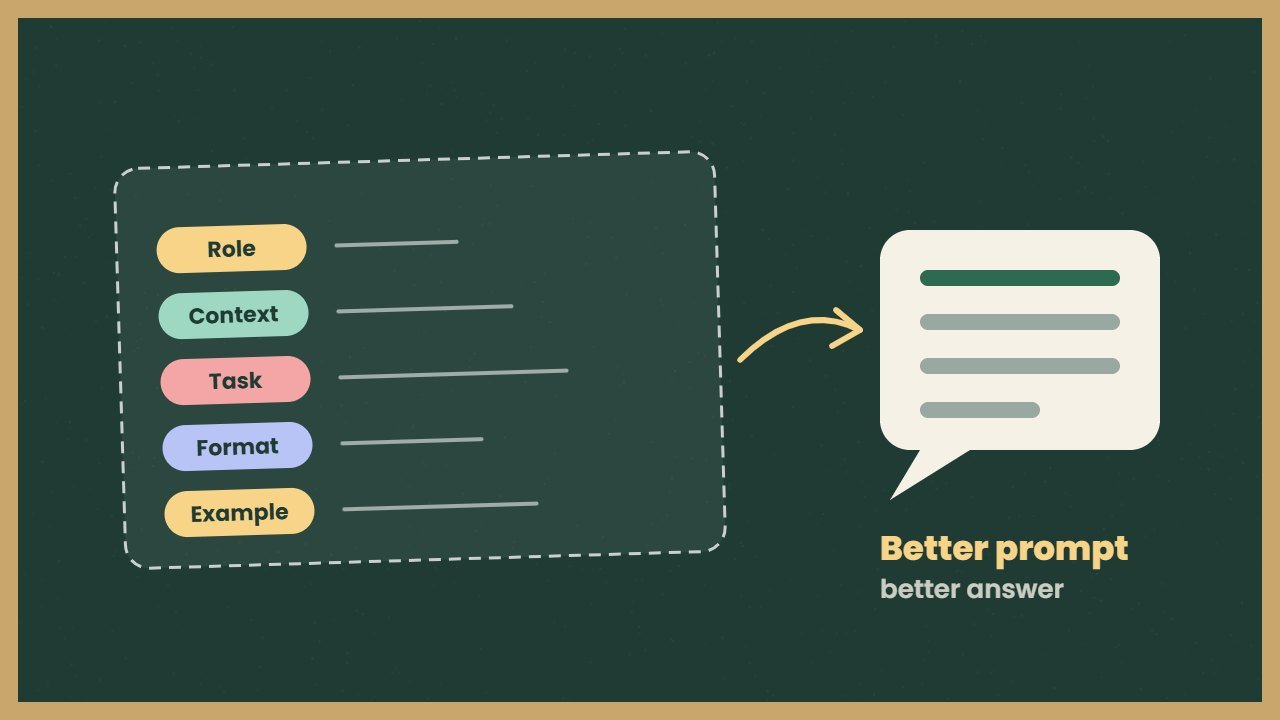
Put together, the guides point to five building blocks. You do not need all five every time, but the more you add, the better the answer usually gets.
- Role. Who should the AI act as? For example, “Act as a friendly maths tutor.”
- Context. What does it need to know? Your level, your audience, your goal.
- Task. What exactly should it do? Use a clear action verb.
- Format. How should the answer look? A table, five bullet points, under 150 words.
- Example or limits. Show a sample or set rules, such as “no jargon”.
To see the difference in practice, compare two prompts. A weak prompt says, “Write about saving money.” A strong prompt says, “Act as a personal finance coach. I am a student with a part time job. Give me five simple ways to save money each month, in a short bullet list, with one example for each.”
12 AI prompts you can copy
To use them, replace the words in brackets with your own details.
Prompts for work
- “Act as a project manager. Turn these meeting notes into a list of tasks with owners and deadlines: [paste notes].”
- “Rewrite this email so it sounds polite but firm. Keep it under 120 words: [paste email].”
- “I am preparing for a job interview as a [role]. Ask me five likely questions one at a time and give feedback on each answer.”
- “Summarise this report for a busy manager in five bullet points, then list three risks: [paste text].”
Study prompts
- “Explain [topic] as if I am 15 years old. Use one real life example and end with three quiz questions.”
- “Create a seven day study plan for [exam] with one hour a day. Show it as a table.”
- “Check my answer and explain any mistakes without giving the full solution: [paste answer].”
- “Make 10 flashcards on [chapter] with a question on one side and a short answer on the other.”
Everyday life prompts
- “Plan five healthy dinners for a family of four with a [budget]. Include a shopping list grouped by aisle.”
- “Compare these two phones for battery life, camera and price, and tell me which suits a student: [models].”
- “Write a warm birthday message for my colleague who loves hiking. Keep it under 50 words.”
- “Give me a 20 minute home workout with no equipment, split into warm up, main set and cool down.”
Free: AI Tools Cheat Sheet 2026
24 free tools sorted by task, a simple prompt formula and 10 prompts you can copy. We send the PDF straight to your inbox.
Sent! Check your inbox
We emailed the AI Tools Cheat Sheet to you. Not there in 2 minutes? Look in Spam or Promotions.
Tips for AI prompts from the official guides
In addition to the formula, a few habits make a big difference.
- Say what to do, not only what to avoid. Anthropic notes that positive instructions work better than a list of bans.
- Give examples. Both Google and Anthropic recommend showing the model a sample of what you want. Anthropic suggests three to five examples for best results.
- Break big jobs into steps. Google’s Gemini API guide advises splitting complex work into smaller prompts.
- Treat it as a conversation. Ask follow up questions such as “make it shorter” or “add a table”.
- Use your own files. Many chatbots can read a PDF or sheet you upload, which gives far better context than a summary.
- Check the answer. Microsoft reminds users to review and verify what Copilot says, and that advice applies to every chatbot.
Common mistakes in AI prompts
In most cases, poor answers come from the same few problems. First, the prompt is too short, so the model fills gaps with generic text. Second, it asks for many things at once, so each part gets less care. Third, it gives no format, so you receive a long essay when you wanted a checklist.
Another common mistake is trusting numbers, quotes or links without checking them. After all, AI chatbots can still make things up. As a result, always confirm facts that matter, especially for health, money or legal questions.
Do AI prompts work the same in ChatGPT, Gemini and Claude?
Mostly, yes. In general, the formula above works in all major chatbots because they are built on similar ideas. However, each one has strengths. For instance, Gemini connects well with Google apps, Claude handles long documents carefully, and ChatGPT has a wide range of tools. Our Grok vs ChatGPT vs Gemini comparison explains the differences.
Also, all three offer free plans. As of October 2026, ChatGPT Plus costs $20 a month, Claude Pro costs $20 a month, and Google AI Pro costs $19.99 a month, according to their official pricing pages. You do not need a paid plan to use the prompts in this guide. If you want more free options, see our list of free AI tools like ChatGPT.
A quick prompt checklist
Before you press enter, ask yourself five questions:
- Did I say who the AI should act as?
- Have I explained my situation and goal?
- Is there one clear task?
- Did I ask for a format and length?
- Would an example or a rule help?
If the first answer is not right, do not start over. Instead, tell the AI what to change. That back and forth is where AI prompts really pay off.
Frequently asked questions
What is a good AI prompt?
A good AI prompt gives the model a role, context, a clear task and a format for the answer. Adding an example or a few rules often improves it further.
Are ChatGPT prompts different from Gemini prompts?
The same basic formula works in ChatGPT, Gemini and Claude. However, small differences exist, so test your prompt and adjust the wording if needed.
How long should a prompt be?
Long enough to give the context the AI needs. One clear sentence works for simple tasks, while complex tasks benefit from a short paragraph and an example.
Do I need to pay to use these prompts?
No. All the prompts in this guide work on the free plans of ChatGPT, Gemini and Claude.