
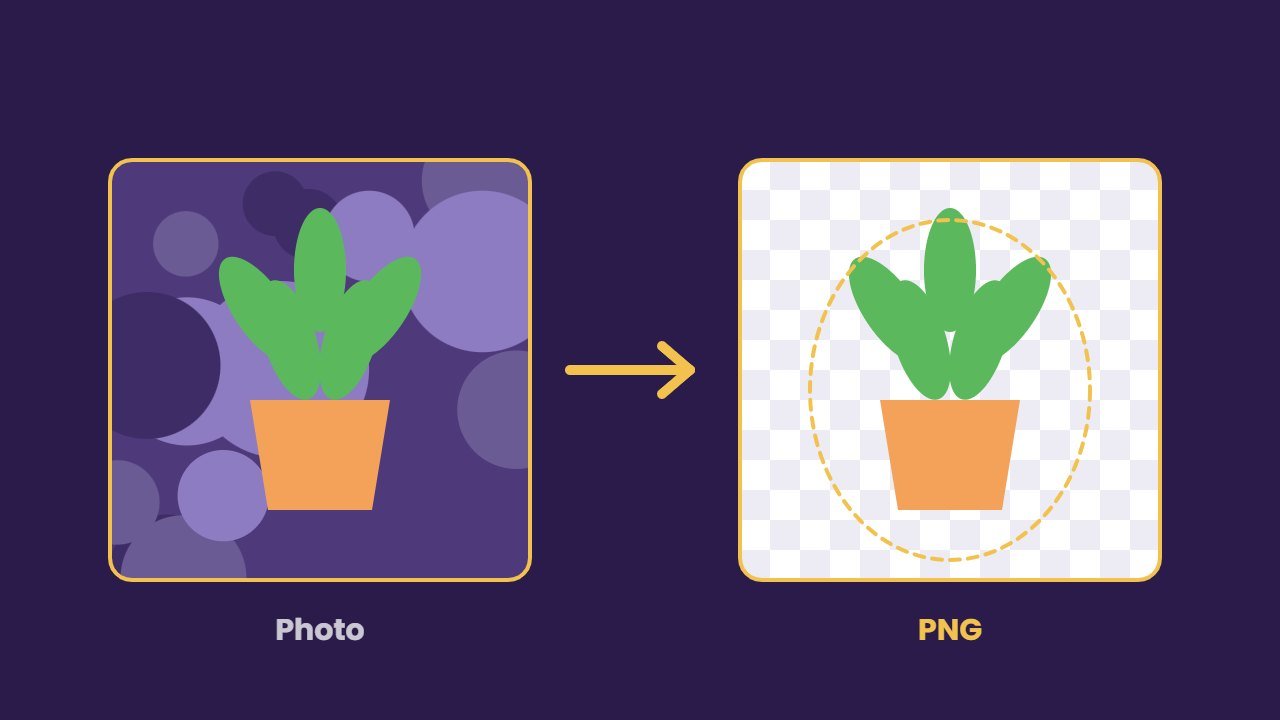
An AI background remover can cut a person, pet or product out of a photo in one click. In the past, this took careful work in Photoshop. Today, however, the free tools already on your phone or computer often do a great job.
In this guide, we compare the best AI background remover tools as of October 2026, from built in phone features to online apps. We also explain an important change: remove.bg, one of the best known tools, is closing its standalone website on 1 December 2026.
How an AI background remover works
First, the AI looks at the photo and finds the main subject, such as a face, a shoe or a cup. Next, it draws a mask around the edges, including tricky parts like hair and fur. Finally, it removes the rest and saves the result as a transparent image, usually a PNG.
In general, good tools handle soft edges and shadows well. By contrast, weaker tools leave halos or cut off fine details, so always zoom in before you use the result.
Free AI background remover tools you already have
Before you sign up for anything, check your own devices.
iPhone and iPad: lift subject
Apple’s lift subject feature is free and built in. According to Apple’s support page, it works on iPhone XS, iPhone XR and later with iOS 16 or newer. To use it, simply touch and hold the subject in a photo, then copy it, share it or turn it into a sticker. It works in Photos, Messages and Safari.
Windows Photos
The Photos app in Windows 11 includes background remove and replace in recent versions, as Microsoft explained when it rolled out the feature. First, open a photo, then choose edit and pick the background tool. It is a quick option for PC users who want a transparent image.
Samsung Galaxy phones
Galaxy phones can also lift a subject from a photo in the Gallery app. For example, Samsung’s guide for the Galaxy S23 Ultra shows the feature in action. Best of all, it is free and needs no extra app.
Best online AI background remover tools
| Tool | Free option | Notes |
|---|---|---|
| Adobe Express | Yes, with an Adobe account | JPG, PNG and WEBP up to 50MB |
| Canva | Limited free tries | Full tool on paid plans |
| Photoroom | Free to try, monthly export limit | HD export on paid plans |
| Clipdrop | 20 removals a day | More with Pro |
| Pixlr | Yes | Works in the browser |
| remove.bg | 1 free credit, previews | Standalone site closes 1 Dec 2026 |
Adobe Express
Adobe Express offers a free background remover with an Adobe account. Specifically, it accepts JPG, PNG and WEBP files up to 50MB and saves a PNG. Free users get a set number of daily generations, while unlimited use needs a paid plan. Even so, it covers most everyday jobs.
Canva
Canva’s background remover is part of its paid plans, according to its help page. The feature page says free users can try it with a limited number of free downloads. In addition, paid users can remove video backgrounds. It is ideal if you design social posts in Canva anyway.
Photoroom
Photoroom is built for product photos. Its online remover is free to try, but free exports are limited each month and then carry a watermark. HD export comes with paid plans that start at $7.50 a month billed yearly. It also adds clean studio backgrounds, which helps online sellers.
Clipdrop
Clipdrop allows 20 free background removals every 24 hours. The Pro plan raises that to 1,000 a day in high resolution. As a result, it suits people who process many images at once.
Pixlr
Pixlr’s remover is free in the browser and accepts JPEG, PNG and BMP files. Overall, it is a simple choice for quick jobs.
Free: AI Tools Cheat Sheet 2026
24 free tools sorted by task, a simple prompt formula and 10 prompts you can copy. We send the PDF straight to your inbox.
Sent! Check your inbox
We emailed the AI Tools Cheat Sheet to you. Not there in 2 minutes? Look in Spam or Promotions.
What is happening to remove.bg?
remove.bg has been a go to background remover for years. However, a banner on its website now says the standalone site will no longer be available from 1 December 2026 at 9:00 CET, and that its background removal is moving to Canva. Its FAQ does not yet explain what happens to existing credits and subscriptions, so check its updated terms.
Therefore, if you rely on remove.bg, download any images you need and plan a switch. Also note its current limits: free previews are small, about 0.25MP, while full resolution downloads use credits.
How to choose the right AI background remover
- For phone photos: use lift subject on iPhone or the Galaxy Gallery tool.
- For PC users: try the Windows 11 Photos app first.
- For free online use: Adobe Express or Photoroom.
- For Canva designs: Canva’s own remover.
- For bulk jobs: Clipdrop or a paid Photoroom plan.
Once your subject is cut out, you can upscale it with an AI image upscaler or polish it in an AI photo editor.
Tips for clean cutouts
- Use good contrast. For example, a subject that stands out from its background gives cleaner edges.
- Shoot in even light. Otherwise, harsh shadows can confuse the AI.
- Check hair and fur. Zoom in and fix any halos with a soft eraser.
- Keep the full size file. Small previews look fine on a phone but blur when printed.
- Add a soft shadow. A light shadow under a product makes the cutout look natural on a new background.
Privacy tips
Keep in mind that online tools upload your photos to a server. For example, remove.bg’s privacy policy says uploads may be used to train its models, although its feedback tool lets you decline. So, for personal or client photos, prefer the tools built into your phone or computer, which avoid uploading to a separate website. Also, avoid uploading ID cards, documents or photos of other people without their permission.
Frequently asked questions
What is the best free AI background remover?
For most people, the free tools already on their device are best: lift subject on iPhone, the Galaxy Gallery tool or the Windows 11 Photos app. Online, Adobe Express offers a strong free option within daily limits.
Is remove.bg shutting down?
remove.bg says its standalone website will no longer be available from 1 December 2026, and its background removal is moving to Canva.
Can I remove a background on my iPhone?
Yes. Touch and hold the subject in a photo to lift it from the background. It works on iPhone XS, XR and later with iOS 16 or newer.
Does Canva’s background remover cost money?
The full tool is part of Canva’s paid plans. However, free users get a limited number of tries.