
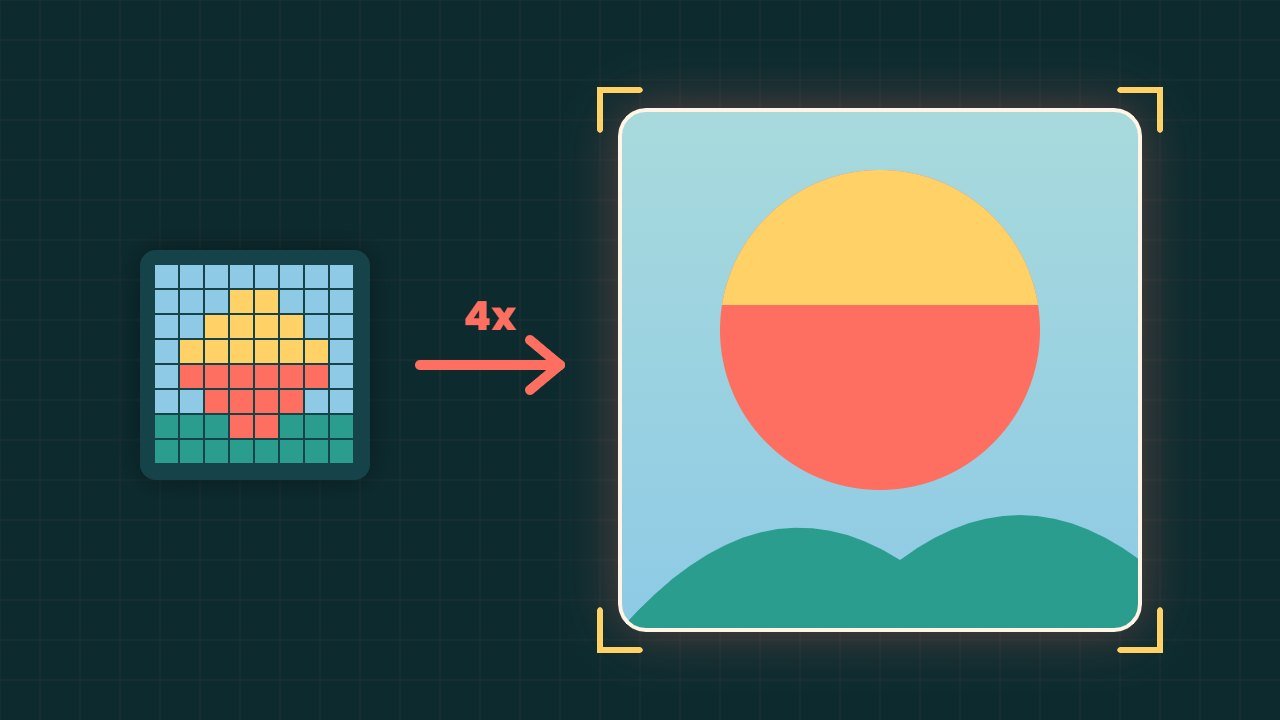
An AI image upscaler can make a small photo big enough to print, crop or use as a website banner, without the blocky blur you get from normal resizing. As a result, old family photos, low resolution product shots and screenshots can look far sharper than before.
However, not all upscalers work the same way. For example, some add pixels carefully, while others invent new detail. In this guide, we compare the best free and paid AI image upscaler tools as of October 2026, explain how they differ, and show when to trust the result.
What an AI image upscaler does
Normal resizing simply stretches pixels, so edges look soft. In contrast, an AI image upscaler predicts what the missing pixels should look like, based on millions of example images. For instance, Adobe’s Super Resolution doubles both width and height, which means four times the total pixel count, as its help page explains.
It also helps to know what upscaling is not. For example, sharpening keeps the same number of pixels and only boosts contrast at edges. Upscaling, on the other hand, adds new pixels.
Two kinds of AI upscaling
Faithful upscaling. In short, these models try to keep the image true to the original. They suit product photos, documents and family pictures.
Generative upscaling. Tools such as Magnific, Krea and some Topaz models invent fine detail, like skin texture or leaves. At first, the results can look stunning. However, they can also change faces, text and logos, so check them closely.
Best AI image upscaler tools compared
| Tool | Best for | Free option | Paid price (US) |
|---|---|---|---|
| Topaz Gigapixel | Photographers and print | No | From $12 a month (billed yearly) |
| Adobe Photoshop | Editing and upscaling in one place | 7 day trial | $22.99 a month (annual plan) |
| Upscayl | Free desktop use | Yes, free and open source | Free |
| Canva | Quick social and print images | Yes, uses free AI allowance | Included in paid plans |
| Let’s Enhance | Large prints online | 10 credits, watermarked | From $9 a month (billed yearly) |
| Krea | Creative generative detail | Yes, about 4 images a day | From $5 a month (billed yearly) |
| Pixlr | Cheap browser upscaling | Check site | From $1.99 a month (billed yearly) |
Prices come from each company’s official pricing page and may change by country.
Topaz Gigapixel
To begin with, Topaz Gigapixel is a favourite of photographers. The product page says it can upscale almost any image six times, with models for faces, text, art and low resolution shots. It runs on Mac and Windows, on its own or as a plugin for Photoshop and Lightroom Classic. In addition, the Personal plan costs $149 a year, which works out to about $12 a month.
Adobe Photoshop
Photoshop offers two options. First, Super Resolution in Camera Raw doubles the width and height of a photo. Second, Generative Upscale can enlarge images 2x or 4x using generative credits. According to Adobe’s help page, the Firefly upscaler outputs up to 6144 by 6144 pixels. The same tool also offers premium Topaz models. Photoshop costs $22.99 a month on an annual plan with 25 generative credits a month, and each Firefly upscale uses 5 to 10 credits, so the monthly credits cover only a few upscales.
Upscayl
Upscayl is a strong free choice. It is free and open source, runs on Windows, macOS and Linux, and can upscale up to 16x. Because the desktop app runs on your own computer, your photos stay on your device. However, it needs a Vulkan compatible graphics card, and most integrated graphics chips will not work, as its GitHub page notes.
Canva
Meanwhile, Canva’s upscaler is built into the editor. Its help page says it picks 4x or 16x automatically, outputs up to 50MP, and accepts JPG and PNG files up to 25MP. Free users can use it within their AI allowance, so it is handy for quick social images.
Let’s Enhance
Let’s Enhance works in the browser and suits large prints. New users get 10 free credits, but free results carry a watermark and are capped at 8MP. Paid plans start at $9 a month billed yearly and allow much bigger outputs.
Krea
Krea is a creative tool with a generative upscaler for images and video. The free plan gives a small daily allowance, roughly four enhanced images a day. Paid plans start at $5 a month billed yearly, or $9 billed monthly. It suits artists who want extra detail rather than strict accuracy.
Pixlr
Pixlr’s Super Scale tool upscales 2x, 3x or 4x, up to 5000 by 5000 pixels, in the browser. Plans start at $1.99 a month billed yearly, so it is a budget friendly option.
Free: AI Tools Cheat Sheet 2026
24 free tools sorted by task, a simple prompt formula and 10 prompts you can copy. We send the PDF straight to your inbox.
Sent! Check your inbox
We emailed the AI Tools Cheat Sheet to you. Not there in 2 minutes? Look in Spam or Promotions.
How to pick the right AI image upscaler
- For free, private upscaling: Upscayl on a computer with a suitable graphics card.
- For prints and professional photos: Topaz Gigapixel or Photoshop.
- For quick social posts: Canva.
- For creative art: Krea or another generative upscaler.
- For occasional browser use: Pixlr or Let’s Enhance.
If you also need to remove objects or fix lighting, our AI photo editor guide compares full editing apps.
Tips for better results from an AI image upscaler
- Start with the best source. First, use the original file, not a compressed copy from a chat app.
- Upscale in steps. For example, try 2x first, check it, then go further if needed.
- Pick the right model. For example, use face models for portraits and text models for screenshots.
- Zoom to 100%. Then, check eyes, hair, letters and edges for odd patterns.
- Avoid generative models for evidence. For news, insurance or documents, use faithful upscaling only.
When an AI image upscaler can mislead
Generative upscalers can add detail that never existed. For instance, a blurry face may come back sharp but slightly different. Therefore, do not present a heavily upscaled image as an exact record. Our guide on how to tell if a photo is AI generated explains how people spot these changes.
Frequently asked questions
What is the best free AI image upscaler?
Upscayl is a strong free option for people with a suitable graphics card. It is open source, runs on Windows, macOS and Linux, and the desktop app keeps your photos on your own computer. Canva’s upscaler is also free within its AI allowance.
How much can AI enlarge a photo?
It depends on the tool. Upscayl can go up to 16x, Topaz Gigapixel up to about 6x, and Photoshop Generative Upscale 2x or 4x. Even so, quality depends heavily on the original photo.
Does AI upscaling add fake detail?
Generative upscalers can invent detail, such as skin texture or text shapes. By contrast, faithful upscalers change less. Always check important images closely.
Can I upscale photos on my phone?
Yes. Canva and Pixlr work in a mobile browser, and some phones, such as the Pixel 10 Pro, use AI to enhance zoomed photos.