
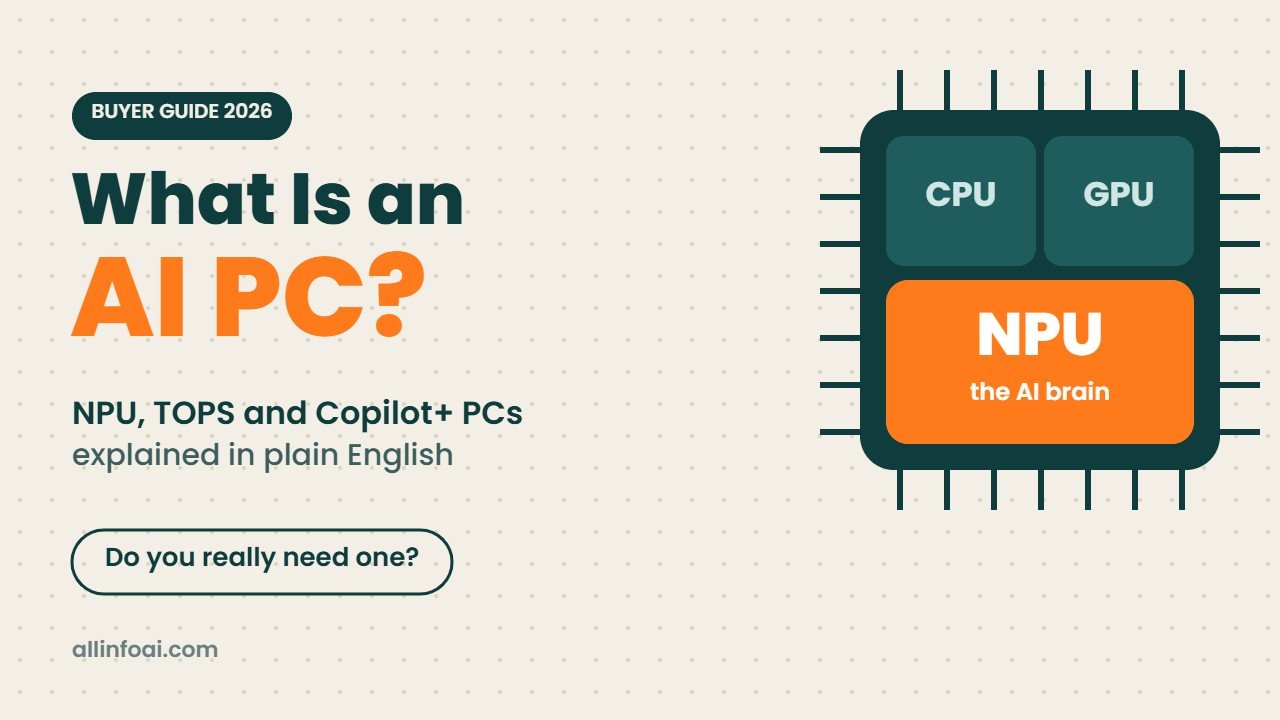
Walk into any electronics shop today and almost every new laptop has an “AI PC” sticker on it. Some shout about TOPS, some say Copilot+, and some just print a glowing AI logo. But what does it actually mean, and will it change how you use your computer?
This guide explains what an AI PC is in plain English, how it differs from a Copilot+ PC, which chips power them in 2026, and whether you should pay extra for one.
Quick answer
Put simply, an AI PC carries a third chip inside its processor, the NPU or neural processing unit, which sits beside the familiar CPU and graphics. The NPU runs small AI jobs on your own machine, such as blurring your background on video calls, live captions and smart photo edits, while using very little battery.
A Copilot+ PC is Microsoft’s stricter version: it needs an NPU of at least 40 TOPS, 16GB of RAM and 256GB of storage, and it unlocks extra Windows features like Recall and Click to Do.
Do you need one? For chatting with ChatGPT, Gemini or Claude, no. Those tools live on remote servers, so an old laptop handles them fine. The label is worth it when a new laptop is already on your list and you value all day battery plus offline AI tricks. Planning to train models or host a large chatbot at home? Then spend on RAM and graphics memory, because the NPU plays almost no part in that kind of work.
What is an AI PC?
Every computer has two main brains:
- CPU (processor): the all rounder that runs your apps and Windows itself.
- GPU (graphics chip): the muscle for games, video and heavy maths.
An AI PC adds a third brain, the NPU. Think of it as a small specialist that only does one kind of maths, the kind AI models need, but does it very efficiently. The CPU could do the same job, but it would get hot and drain the battery. The GPU could do it faster, but it uses even more power.
So the NPU is not about raw power. It is about running AI features quietly in the background all day without killing your battery.
What does TOPS mean?
You will see NPU speed written as TOPS, short for trillions of operations per second. A higher number means the NPU can handle bigger or more AI tasks at once.
A few points help put TOPS in context:
- Microsoft set 40 TOPS as the minimum for Copilot+ PCs.
- New 2026 chips sit between about 50 and 80 TOPS on the NPU alone.
- TOPS only measures the NPU. A good graphics card can deliver hundreds or even thousands of AI TOPS, but it needs much more power.
- Two chips with the same TOPS can still feel different in real apps, because software support matters as much as the number.
In short, treat TOPS like horsepower on a car advert. Useful to compare, but it does not tell you the whole story.
AI PC vs Copilot+ PC
These two terms are often mixed up. Here is the difference.
| Point | AI PC | Copilot+ PC |
|---|---|---|
| Who defines it | Chip makers and laptop brands | Microsoft |
| NPU needed | Any NPU | At least 40 TOPS |
| Minimum RAM | No rule | 16GB |
| Minimum storage | No rule | 256GB SSD |
| Operating system | Windows, macOS or Linux | Windows 11 |
| Extra Windows features | No | Yes, such as Recall and Click to Do |
So every Copilot+ PC is an AI PC, but not every AI PC is a Copilot+ PC. Many 2024 laptops with older Intel or AMD chips had small NPUs of 10 to 16 TOPS. They carry the AI PC label but miss out on Copilot+ features.
There is one more twist. In late 2025 Microsoft started describing every Windows 11 PC as an AI PC, and its newer developer tools can run AI on the CPU, GPU or NPU. As PCWorld points out, this makes the NPU feel less special than the marketing first suggested.
Copilot+ PC features you actually get
These are the main features Microsoft keeps for Copilot+ PCs. You can see the full list on Microsoft’s Copilot+ PC page.
- Recall: saves snapshots of what you do, so you can search your past activity in plain words, such as “the blue sofa I saw last week”. It stays off until you switch it on, and you can pause it or exclude apps.
- Click to Do: select text or an image on screen and get quick actions like summarise, rewrite or remove the background.
- Live Captions with translation: captions for any audio on your PC, translated into English from dozens of languages, even offline.
- Windows Studio Effects: auto framing, eye contact and background blur for your webcam, done on the NPU.
- Smarter Photos and Paint: relight photos, restyle images and create pictures from sketches.
- Settings search in plain language: type “my mouse pointer is too small” and Windows finds the right setting.
Nice to have, yes. Life changing, not really. Most people use these a few times a week rather than every hour.
AI PC chips in 2026
Here are the main chip families you will see in AI laptops and desktops this year. NPU numbers come from the chip makers.
| Chip family | Brand | NPU speed | Good to know |
|---|---|---|---|
| Snapdragon X2 Elite and X2 Plus | Qualcomm | Up to 80 TOPS | Arm based, excellent battery life, check app support |
| Core Ultra Series 3 (Panther Lake) | Intel | About 50 TOPS | Runs all classic Windows apps, strong all round |
| Ryzen AI 400 series | AMD | About 60 TOPS | Good graphics built in, laptops and desktops |
| M5 family | Apple | Neural Engine plus AI accelerators in the GPU | Powers Apple Intelligence on Macs, not a Copilot+ PC |
| RTX Spark (N1X) | Nvidia | Large built in GPU for AI | Aimed at creators and developers, high prices |
A quick note on Arm laptops: chips like Snapdragon use a different design from Intel and AMD. Most popular apps now run well on them, but some older software, games with anti cheat and special drivers may not. Check the apps you rely on before you buy.
If you want to see how the newest high end AI laptop performs, read our look at the Surface Laptop Ultra with RTX Spark. For a wider list of models, see our guide to new laptops with AI chips.
What can an AI PC really do for you?
Here is what an NPU helps with in daily life:
- Video calls: clean background blur, noise removal and auto framing without your fans spinning up.
- Battery life: AI tasks move off the CPU and GPU, so the laptop lasts longer on a charge.
- Privacy: jobs like captions and webcam effects are processed right on the chip, so those recordings never travel to a server.
- Offline AI: captions, translation and photo tools keep working on a plane or a weak connection.
- Creative apps: tools like Adobe apps, DaVinci Resolve and CapCut use the NPU or GPU for jobs such as masking and auto captions.
What an AI PC cannot do
This is where the marketing gets a bit misleading.
- It will not make ChatGPT or Gemini faster. Those chatbots run on huge servers. Your laptop only shows the answers.
- The NPU is not great for big local chatbots. Running large language models at home depends mostly on how much memory you have and on a strong GPU. A small NPU with 16GB of RAM can only handle small models.
- It is not a machine learning workstation. Anyone who wants to build their own models will still lean on a dedicated graphics card loaded with VRAM. Our computer for machine learning guide explains how much memory each kind of AI work needs.
Should you buy an AI PC?
Buy one if:
- You are replacing an old laptop anyway. These days even many mid priced laptops ship with a 40 TOPS class NPU, so the AI part adds little to the bill.
- You spend hours on video calls and want better webcam effects with longer battery life.
- You travel a lot and want offline captions and translation.
- You care about privacy and like the idea of AI that stays on your device.
Skip the upgrade if:
- Your current laptop is fast enough and you mainly use AI chatbots in a browser.
- You are a gamer. A strong graphics card matters far more than an NPU for games.
- You want to train or run big AI models. Put your money into RAM and GPU memory instead.
AI PC buying checklist
Use this list in the shop or on a product page.
- NPU of 40 TOPS or more if you want Copilot+ features.
- 16GB RAM minimum, 32GB if you can. AI features and modern browsers both eat memory, and you usually cannot upgrade RAM later.
- 512GB storage or more. AI apps and local models take space fast.
- Battery life from real reviews, not just the brand’s claim.
- App check for Arm laptops. Make sure your must have software runs well.
- A good webcam and microphones, since many AI features are for calls.
- Price compared with a non AI version. Memory prices rose in 2026, so compare a few models before you pay a premium for the label.
Students and developers looking at AI and machine learning work should also read our best laptop for machine learning guide, since those needs are very different from everyday AI features.
Common AI PC myths
“An AI PC has its own built in ChatGPT.” No. Copilot is an app that mostly runs in the cloud, and it works on almost any Windows PC.
“More TOPS always means a better laptop.” No. Battery, screen, keyboard, memory and price matter more for most people.
“Old laptops cannot use AI at all.” Wrong. Any laptop with a browser can use cloud AI tools. You only miss the on device extras.
“Macs are not AI PCs.” Apple does not use the term much, but recent Macs have a Neural Engine and run Apple Intelligence on the device. See our article on the MacBook Air and MacBook Pro with the M5 chip for details.
Frequently asked questions
What is the difference between an AI PC and a normal PC?
The extra NPU is the whole difference. A regular PC still runs AI apps, but it pushes that work onto the processor or graphics chip, which costs more battery.
How many TOPS do I need?
For Copilot+ features in Windows 11 you need an NPU with at least 40 TOPS. For everyday use, any 2026 chip from Qualcomm, Intel or AMD clears that bar.
Can I turn my old laptop into an AI PC?
Not in the full sense, because the NPU is part of the main chip and cannot be added later. You can still use cloud AI tools on your old laptop for free.
Is an AI PC good for students?
Yes, if you are buying a new laptop anyway. Live captions, offline translation and long battery life help in class. Just do not pay a big premium only for the AI label.
Is Recall safe to use?
Recall is off until you turn it on, keeps its data on your device and needs Windows Hello sign in to open. If you share your PC or handle sensitive work, you can leave it off or block certain apps and websites.
Does an AI PC help with gaming?
Very little. Games depend on the graphics card. Some AI upscaling features in games run on the GPU, not the NPU.
Final word
An AI PC is simply a computer with a small, power saving chip for AI tasks. It brings nice extras like better video calls, live translation and longer battery life, and Copilot+ PCs add a few more Windows features on top. It is not a magic upgrade, and it will not make cloud chatbots faster. If you need a new laptop, pick one with a 40 TOPS or faster NPU and at least 16GB of RAM. If your current laptop still works well, you are not missing much yet.