
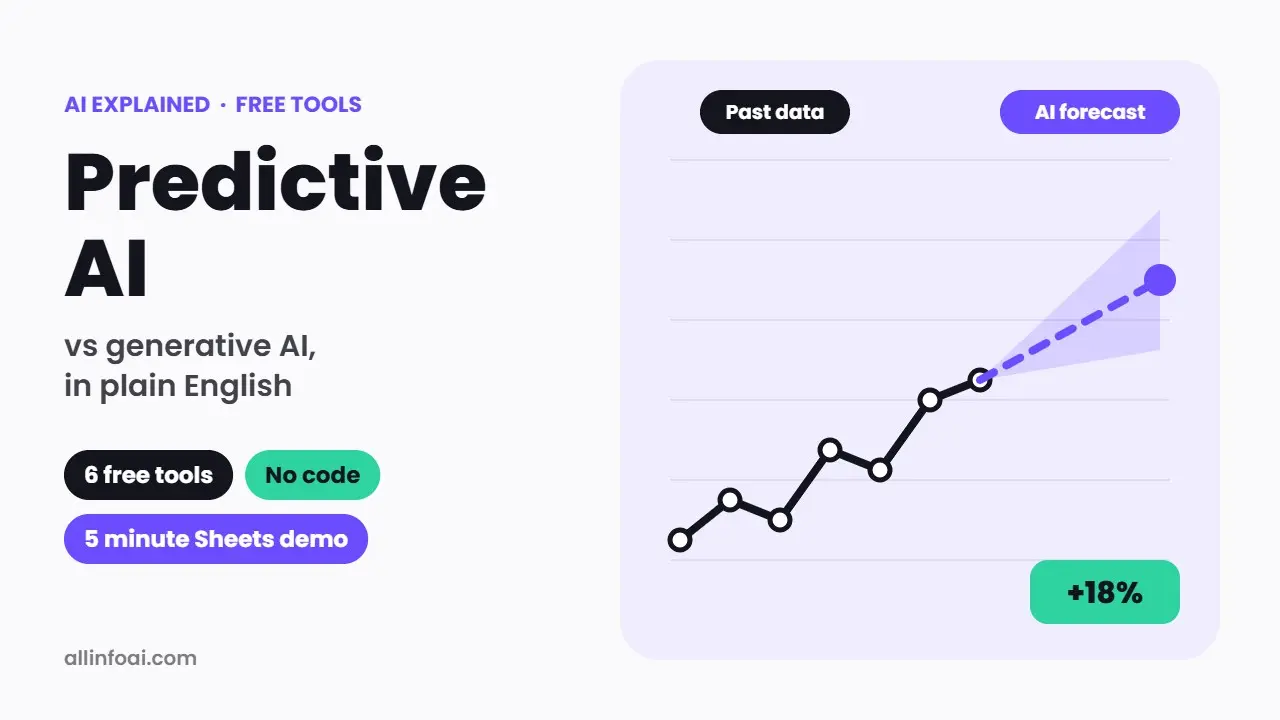
Everyone talks about ChatGPT and image generators, but another kind of AI quietly runs much of daily life. For example, it decides which shows Netflix suggests, flags a strange payment on your card and tells a shop how much stock to order. This is called predictive AI.
Below, you will learn what predictive AI is, how it differs from generative AI, real examples, and the best free predictive AI tools you can try today. In addition, you will build a simple prediction in Google Sheets in about five minutes, with no coding.
Quick answer: Predictive AI studies past data to forecast what is likely to happen next, such as next month’s sales or the chance a customer will leave. Generative AI, in contrast, creates new content like text or images. You can try predictive AI for free with Google Sheets or Excel forecast functions, Orange Data Mining, KNIME, Google Colab, or the free plan of Julius AI.
What is predictive AI?
Simply put, predictive AI is a type of artificial intelligence that uses historical data to make forecasts. First, it looks for patterns in past examples. After that, it applies those patterns to new data and gives a probability or a number.
To illustrate, a bank trains a model on millions of past card payments, some of which were fraud. Later, when you buy something, the model then checks how closely your payment matches past fraud and gives it a risk score. Consequently, if the score is high, the bank sends you an alert.
In short, predictive AI answers questions like “What will happen?”, “How much?” and “How likely?”. If you are new to AI in general, our guide on what artificial intelligence is covers the basics.
Predictive AI vs generative AI
Because these two terms are often mixed up, here is a simple comparison.
| Predictive AI | Generative AI | |
|---|---|---|
| Main job | Forecasts outcomes or numbers | Creates new content |
| Typical output | A score, a category or a number | Text, images, audio, video or code |
| Example question | “How many units will we sell in March?” | “Write a product description for March” |
| Data needed | Your own historical, structured data | Huge general training data, then a prompt |
| Common tools | Excel forecasts, scikit learn, AutoML, KNIME | ChatGPT, Gemini, Claude, image generators |
| Main risk | Biased or outdated data gives wrong forecasts | Made up facts and copyright questions |
However, the line is getting thinner. For instance, modern chatbots can now run code on your spreadsheet and build a forecast for you. In this way, generative AI is becoming a friendly front door to predictive AI. We explain that workflow in how to use AI for data analysis.
How predictive AI works, step by step
- Collect data: gather past records, such as sales by day or customer details.
- Clean the data: remove errors, fill gaps and keep only useful columns.
- Train a model: the software finds patterns that link inputs to outcomes.
- Test the model: check its predictions against data it has not seen before.
- Predict: feed in new data and get a forecast or a probability.
- Monitor: compare predictions with real results and retrain when the world changes.
In practice, most of the work is in the data, not the AI. As a result, a simple model with clean data often beats a fancy model with messy data.
Real examples of predictive AI
- Shopping: online stores predict which products you might buy next.
- Streaming: Netflix and YouTube predict which videos you will watch.
- Banking: banks predict fraud and the risk of loan defaults.
- Healthcare: hospitals estimate which patients may need extra care, always with doctors in charge.
- Weather: forecasters combine physics models and machine learning to predict storms.
- Business: companies forecast demand, staff needs and customer churn.
- Maintenance: factories predict when a machine is likely to fail, so they can fix it first.
Best free predictive AI tools
Next, here are free options for every skill level. However, prices and limits can change, so always check the official site.
| Tool | Best for | Skill level | Cost |
|---|---|---|---|
| Google Sheets forecast functions | Quick trend forecasts | Beginner | Free with a Google account |
| Excel Forecast Sheet | Time based forecasts with charts | Beginner | Included in Excel for Microsoft 365, 2021 and 2024 |
| Julius AI | Ask questions about your data in plain English | Beginner | Free plan with daily credits |
| Orange Data Mining | Drag and drop machine learning | Beginner to intermediate | Free and open source |
| KNIME Analytics Platform | Visual data workflows and models | Intermediate | Free desktop version |
| Google Colab with Prophet or scikit learn | Custom forecasts in Python | Intermediate to advanced | Free tier |
Google Sheets and Excel: the easiest start
To start, you probably already have a spreadsheet app, and that is enough to begin. For instance, Google Sheets includes FORECAST and FORECAST.LINEAR functions, while Excel adds a Forecast Sheet feature that draws a chart with a confidence range. Although these are simple statistical methods, they are still a perfect first step into predictive analytics.
Julius AI: chat with your data
Similarly, Julius AI lets you upload a spreadsheet and ask questions like “Forecast next quarter’s sales.” Then, behind the scenes, it writes and runs code for you. Currently, its free plan uses a daily credit allowance, while paid plans start at $20 a month, or $16 a month billed yearly.
Orange Data Mining: no code machine learning
In contrast, Orange is a free, open source app where you connect blocks on a canvas. For instance, you can load a file, choose a model such as a decision tree and see the results, all without code. Therefore, it is great for students and curious beginners.
KNIME Analytics Platform: workflows for serious projects
Likewise, KNIME is a free desktop tool for building data workflows with drag and drop nodes. Also, it handles larger projects than Orange, and many companies use it. However, it takes a bit longer to learn.
Google Colab with Prophet or scikit learn
If you are ready to try a little Python, Google Colab gives you a free notebook in your browser. For example, Prophet, an open source forecasting library from Meta, handles seasonal patterns such as weekly or yearly cycles. Meanwhile, scikit learn covers classic models for classification and regression. For stats work, see our guide on AI for statistics.
For more options, read our list of free AI tools for data analysis.
Try it: a 5 minute sales forecast in Google Sheets
Now, here is a small, real example you can follow.
- Open a new Google Sheet. Starting in row 1, type the months 1 to 12 in column A. Then type your monthly sales for those months in column B.
- Add the next month. In cell A13, type 13.
- Forecast it. In cell B13, type: =FORECAST.LINEAR(A13, B1:B12, A1:A12). Here, B1:B12 holds your sales and A1:A12 holds the month numbers.
- Check the trend. Then select both columns and insert a line chart to see whether the trend looks sensible.
- Compare with reality. Then, when month 13 ends, compare the real number with the forecast. Over time, this simple habit teaches you how reliable your model is.
Keep in mind, however, that this method draws a straight trend line. So if your business has strong seasons, such as festival sales, a seasonal method like Excel’s Forecast Sheet or Prophet will do better.
Limits and risks of predictive AI
Of course, predictive AI is powerful, but it has clear limits:
- The past is not the future: sudden events, like a new competitor or a pandemic, break old patterns.
- Garbage in, garbage out: wrong or missing data leads to wrong forecasts.
- Bias: if past decisions were unfair, a model can repeat that unfairness, for example in hiring or lending.
- False confidence: a forecast is a best guess with a range, not a promise.
- Privacy: customer data must be handled under local laws and with consent.
For this reason, always keep a human in charge of important decisions, especially in health, finance and hiring.
Frequently asked questions
What is the difference between predictive AI and generative AI?
In short, predictive AI forecasts outcomes from past data, such as sales or risk. On the other hand, generative AI creates new content, such as text, images or code, from a prompt.
Is ChatGPT predictive AI?
Basically, ChatGPT is mainly generative AI. Technically, it predicts the next word, but its purpose is to create content. That said, its data analysis features can build real predictive models when you upload a spreadsheet.
What is the best free predictive AI tool for beginners?
For a quick start, use the forecast functions in Google Sheets or Excel. Next, if you want real machine learning without code, try Orange Data Mining. Finally, for plain English questions about your data, Julius AI has a free plan.
Can predictive AI predict the stock market?
Yes, predictive models are used in finance, but markets are very hard to forecast and no tool can predict them reliably. So be careful with any app that promises sure profits. We do not give financial advice, so please speak to a licensed adviser before you invest.
Do I need to code to use predictive AI?
No, you do not. Spreadsheet forecasts, Orange, KNIME and AI chat tools such as Julius all work without code. Still, learning a little Python later opens up many more options.
Is predictive AI the same as machine learning?
Not exactly. In simple terms, machine learning is the technique, while predictive AI is one of its main uses. In practice, most predictive AI is built with machine learning.
Final thoughts
All in all, predictive AI is the quiet engine behind recommendations, fraud alerts and sales forecasts. Fortunately, you do not need a data science degree to start. First, begin with a forecast in Google Sheets this week, then move to Orange or Julius AI when you want more. Above all, remember that good, clean data matters more than any tool.
Sources: Google Sheets function list, Microsoft Excel Forecast Sheet help, Julius AI pricing, Orange Data Mining, KNIME Analytics Platform, Prophet forecasting library. Details as of 14 October 2026.