

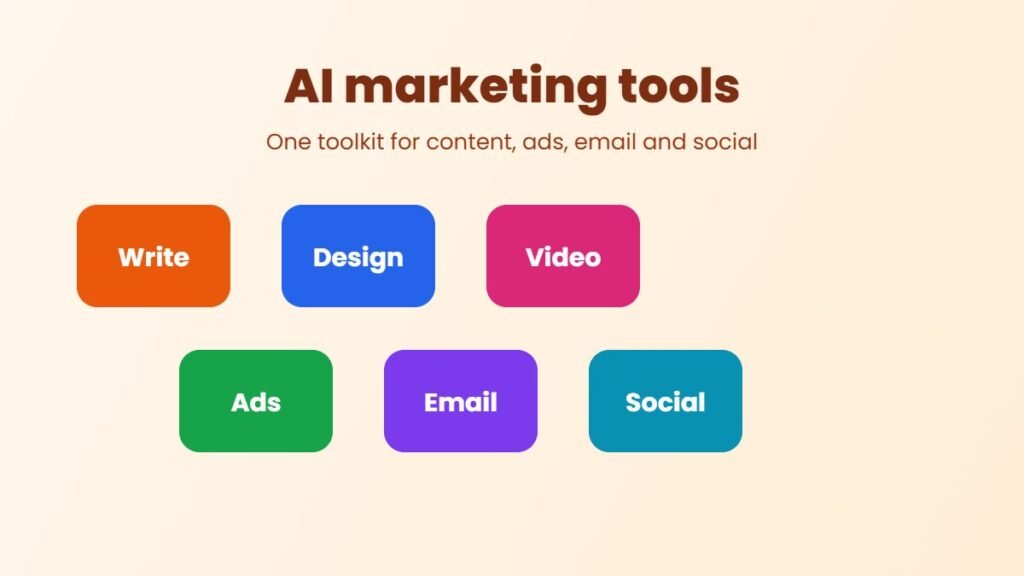
AI marketing tools can now handle the slow parts of marketing: first drafts, ad variations, social captions, keyword research, email subject lines and reporting. Used well, they give a small business or solo creator the output of a much bigger team. Used badly, they flood the internet with generic content that nobody reads.
So this guide sorts the most useful AI marketing tools by job, explains what each one is good at, and gives you a simple workflow to use them without losing your brand voice.
What are AI marketing tools?
AI marketing tools use machine learning and large language models to plan, create, target and measure marketing. For example, some are general assistants such as ChatGPT, Claude and Gemini. Meanwhile, others are AI features built into tools you may already use, such as Canva, HubSpot, Mailchimp, Google Ads and Meta Ads Manager.
The best results come from mixing both: a general assistant for thinking and writing, plus AI features inside your main platforms for design, targeting and automation.
AI marketing tools by job
| Job | Tools to try | What AI does well |
|---|---|---|
| Copy and ideas | ChatGPT, Claude, Gemini | Drafts, outlines, headlines, rewrites |
| Design | Canva Magic Studio, Adobe Express with Firefly | Social graphics, resizing, background removal |
| SEO | Semrush, Ahrefs, Surfer | Keyword ideas, content briefs, on page checks |
| Social media | Buffer AI Assistant, Hootsuite OwlyWriter AI | Captions, repurposing, post timing |
| Mailchimp, HubSpot Breeze | Subject lines, segments, send time | |
| Ads | Google Ads AI Max and Performance Max, Meta Advantage+ | Targeting, bidding, creative variations |
| Video | CapCut, Opus Clip, Google Vids | Short clips, captions, quick edits |
| Analytics | Google Analytics 4, Looker Studio with Gemini | Insights, anomalies, plain language summaries |
1. Writing assistants for marketing copy
ChatGPT, Claude and Gemini are the fastest way to get from a blank page to a first draft. For example, use them to brainstorm campaign angles, write ten headline options, turn a blog post into a newsletter, or rewrite a product description for a different audience.
Also, give them context: your audience, offer, tone and two examples of copy you like. Then edit the draft yourself. After all, your own experience, numbers and opinions are what make marketing copy convert.
2. Design tools for social posts and ads
For example, Canva’s Magic Studio can write a caption, generate an image, remove a background and resize one design into many formats in a few clicks. Similarly, Adobe Express uses Adobe Firefly, which Adobe trains for commercial use, so it suits business ads. In addition, both let you save brand colours, fonts and logos, so AI output still looks like you.
3. AI SEO tools
Semrush, Ahrefs and Surfer use AI to suggest keywords, group topics, write content briefs and check pages against top results. As a result, they save hours of research. However, Google rewards helpful, original pages, not pages written only to match a tool’s score. Our guide to the best AI SEO tools explains which free and paid options are worth using.
4. Social media scheduling helpers
For instance, Buffer’s AI Assistant and Hootsuite’s OwlyWriter AI write and repurpose captions, suggest hashtags and recommend posting times. In particular, they work best when you feed them a long piece of content, such as a blog post or video, and ask for several short posts from it. For a full system, read our AI social media management guide.
5. AI email marketing tools
Similarly, Mailchimp and HubSpot both have AI that writes subject lines, suggests segments and picks the best send time for each subscriber. HubSpot’s Breeze AI can also summarise contacts and draft follow ups. However, always test AI subject lines against your own with an A/B test.
6. AI advertising tools
Google Ads and Meta now run much of their targeting with AI. Google’s Performance Max and AI Max for Search campaigns choose placements and match ads to searches, while Meta’s Advantage+ campaigns find audiences and test creative automatically. As a result, your job shifts to giving these systems good inputs: clear conversion tracking, strong images and honest offers.
Free: AI Tools Cheat Sheet 2026
24 free tools sorted by task, a simple prompt formula and 10 prompts you can copy. We send the PDF straight to your inbox.
Sent! Check your inbox
We emailed the AI Tools Cheat Sheet to you. Not there in 2 minutes? Look in Spam or Promotions.
7. Video tools for short clips
Short video drives reach on almost every platform. For example, CapCut adds captions and effects, Opus Clip cuts long videos into short clips, and Google Vids builds simple explainers. See our list of free AI tools for video creation for tools you can start with today.
A simple AI marketing workflow for small teams
- Plan: First, ask an AI assistant to suggest a month of content ideas based on your customers’ top questions.
- Create: Write one strong piece each week, such as a guide or video, with your own expertise.
- Repurpose: Then use AI to turn it into social posts, an email and short clips.
- Design: Make visuals in Canva or Adobe Express with your brand kit.
- Promote: Run a small ad test with AI targeting.
- Measure: Finally, review results in Google Analytics 4 and keep what works.
If you want to automate the handoffs between these steps, our guide to AI automation for small business shows how.
Mistakes to avoid with AI marketing tools
- Publishing raw AI drafts. In fact, readers and search engines notice generic content. Add real examples and your point of view.
- Skipping fact checks. After all, AI can invent statistics, quotes and product details.
- Ignoring rules. Many countries and platforms require clear labels for AI generated images and disclosure for endorsements.
- Sharing private data. Do not paste customer lists or confidential plans into tools without checking their data policies.
- Chasing every new tool. Instead, pick a small stack and learn it well.
How to choose the right AI marketing tools
To begin, look at your biggest bottleneck. If writing takes too long, begin with an AI assistant. When design is slow, start with Canva. If ads are expensive, improve your tracking and test AI campaigns. Overall, most businesses need only three to five tools to cover planning, creation, scheduling and reporting.
Also read: Cheat Sheet of AI Tools: The Best Tool for Every Task in 2026
Frequently asked questions
What is the best AI marketing tool for beginners?
A general assistant such as ChatGPT, Claude or Gemini combined with Canva covers most beginner needs: ideas, copy and visuals.
Are AI marketing tools free?
Many have free plans with limits, including ChatGPT, Gemini, Canva and Buffer. Advanced features usually need a paid plan.
Will AI replace marketers?
AI replaces repetitive tasks, not strategy, creativity or customer understanding. Marketers who use AI well can do more with less time.
Is AI generated marketing content bad for SEO?
Not by itself. Google judges content by its quality and usefulness. Content made mainly to manipulate rankings, with little value, can hurt your site.
2 thoughts on “AI Marketing Tools: The Best Picks by Job and How to Use Them in 2026”